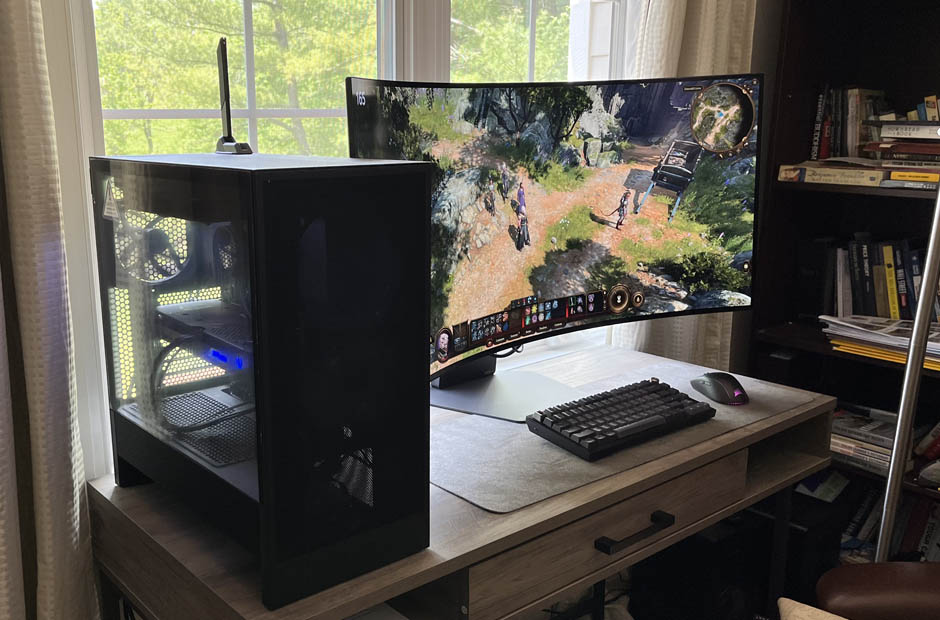
A good PC choice starts with a clear budget and a realistic idea of performance. The goal is to find a system that fits the games, display, and daily use. A smart pick feels balanced from the first start.
Set a Clear Budget First
A budget gives the search a useful shape before specs start to blur together. A prebuilt gaming pc can help compare graphics, processor, memory, and storage in one ready system. That makes it easier to see where the money goes. It also aids in avoiding extra cost for features that may not matter.
Lower budgets can still support esports titles, school tasks, and casual play. Midrange budgets often suit 1080p or 1440p use with better visual settings. Higher budgets make more sense for heavy games, high refresh displays, or 4K goals. The right range depends on use.
Match Performance to the Display
The monitor has a big effect on the PC that makes sense. A 1080p display does not need the same graphics power as a 4K screen. High refresh monitors need stronger parts to push more frames. This helps keep the PC choice tied to what the eyes will see.
A player with a basic 60Hz screen may not need a top tier graphics card. Someone with a 144Hz or 165Hz display may want more GPU and CPU power. Resolution, refresh rate, and game type should work as one plan. That helps reduce waste and weak spots.
Put the Graphics Card in Context
The graphics card has the largest effect on frame rate and visual quality. It matters most in story games, open map titles, and high-resolution play. More graphics memory may help improve texture quality in heavier games. It can also aid smoother performance when visual settings rise.
Still, the GPU should match the rest of the system. A strong graphics card paired with weak support parts can feel uneven. The processor, memory, power supply, and cooling all matter too. A balanced build usually feels better.
Check the Processor for Daily Use
The processor handles game logic, background apps, input response, and many system tasks. Esports titles, simulation games, and strategy games can lean heavily on CPU strength. A better processor may help improve frame stability during busy scenes. It also supports streams, chat apps, and browser tabs during play.
Do Not Ignore Balance
A smart PC pairs the CPU and GPU at a similar level. A budget CPU with a high-end graphics card may hold back some games. A high-end CPU with a modest GPU may not help much at high resolution. The best choice keeps both parts in the same performance class.
Review Memory and Storage Needs
Memory affects how well the PC handles games and other apps at the same time. A 16GB setup can work for many titles, while a 32GB setup gives more comfort for newer games. That extra space may help reduce slowdowns with launchers, chat, and browsers open. For long use, more memory can feel practical.
Storage deserves close attention because games can take up a lot of space. NVMe SSDs help with fast boot times, quick loads, and smoother file access. A 1TB drive can work for a small library, while a 2TB drive gives more room.
Check Value Across Full Specs
Two systems with a similar price can offer very different value. One may have a better graphics card, while another may include more storage or memory. The full parts list should be checked before a choice feels final. This is where a prebuilt gaming pc can make side by side review easier.
Helpful value checks include:
- Graphics card level for the target resolution
- Processor strength for favorite game types
- Memory amount for current and future games
- SSD size for the game library
- Power supply capacity for stable use
- Warranty and support terms
Value comes from parts that match the goal. A system with fewer weak points may feel more useful over time.
Look at the Support and Upgrade Room
Warranty terms, service access, and delivery details can affect the full purchase experience after the PC arrives. A clear support path may help with setup questions, hardware concerns, or small issues that show up during early use. This adds practical value because the system is easier to own.
Upgrade room can also affect long-term use. Extra memory slots, open storage space, and a strong power supply can help later. Good airflow and a clean case layout make care easier, too. A system with room to grow may last longer before it feels limited.
Start with the budget. Match the PC to the display. Check the graphics card, processor, memory, storage, support, and upgrade path. When those parts line up with real performance goals, the final choice feels less like a gamble and more like a practical fit.