Image to video AI tools convert still images into animated clips by generating motion, camera movement, and scene changes from visual references and text instructions. A useful review should examine how much control the tools provide, how faithfully they preserve the source image, and how polished the final footage appears. Key areas include upload options, prompt support, animation controls, export settings, motion smoothness, character consistency, and detail retention. Evaluating these factors helps creators understand where image-to-video AI performs well and where careful prompting or editing remains necessary.
Key Features of Image to Video AI Tools
Image Upload, Motion Generation, and Animation Controls
Image upload and motion controls form the core of an image-to-video AI workflow. Users typically begin with a clear source image, then define how the subject, background, or camera should move. Effective tools make this process easier by supporting straightforward uploads and offering controls for motion strength, direction, duration, or camera behavior. These settings matter because excessive movement can distort faces, objects, or backgrounds, while restrained animation often preserves the original composition more successfully. The strongest workflow gives creators enough control to distinguish subject motion from camera motion. This makes it possible to animate portraits subtly, add depth to landscapes, or introduce purposeful movement without rebuilding the visual from scratch.
Prompt Support and Creative Customization Options
Prompt support adds creative direction beyond what the source image communicates on its own. A well-designed image-to-video AI tool should let users describe subject actions, environmental movement, camera behavior, pacing, lighting, and atmosphere clearly. This is useful when the desired animation involves details that cannot be inferred from a still frame, such as hair moving in a breeze or a camera slowly pushing toward the subject. Creative customization works best when prompts complement rather than contradict the image. Users should be able to refine individual instructions without rewriting the concept. Strong prompt control makes it easier to create intentional motion while preserving the composition, style, and visual identity of the original image.
Export Quality, Formats, and Workflow Features
Export and workflow features determine how easily generated clips can move into publishing or editing. Useful image-to-video AI tools should provide clear options for video resolution, aspect ratio, duration, and downloadable formats suited to production needs. Higher-quality exports matter when footage will be cropped, color-adjusted, combined with typography, or used in larger projects. Features such as generation history, reusable prompts, saved references, and organized versions can also reduce repetitive work. Creators benefit from comparing multiple outputs before choosing a final clip. A practical export process should preserve visual detail and motion quality while giving editors enough flexibility to adapt generated footage for social media, marketing, presentations, or other formats.
Analyzing Image to Video AI Output Quality
Visual Realism and Motion Smoothness Assessment
Visual realism depends on whether generated movement follows the structure, lighting, perspective, and physical logic of the source image. Strong image to video ai output keeps faces, objects, textures, and backgrounds recognizable as motion develops. Smooth animation should show consistent movement between frames without sudden jumps, flicker, stretching, or unexplained changes in shape. Subtle actions often look more convincing because the model has fewer complex transformations to maintain at once. Camera movement also affects realism: a controlled pan or push-in can add depth, while aggressive motion may expose visual instability. When reviewing output quality, examine both the overall impression and individual frames, since brief distortions can be easy to miss during playback.
Character Consistency and Scene Accuracy Review
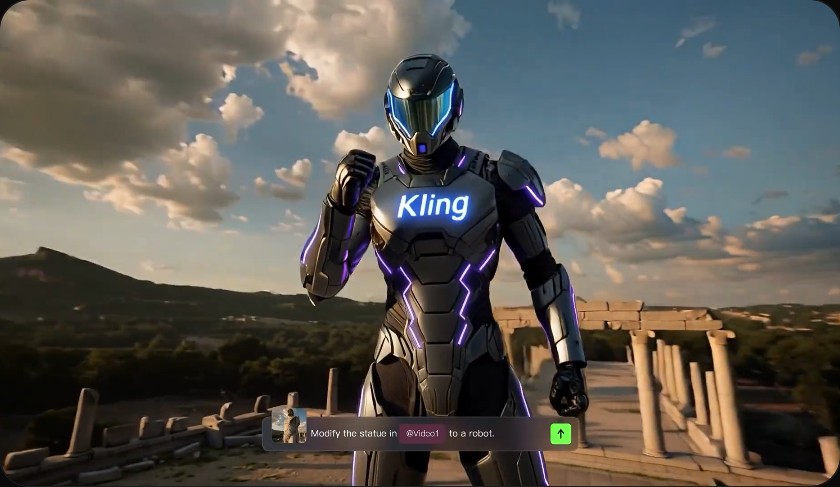
Character consistency is one of the clearest indicators of image-to-video AI quality. A successful animation should preserve recognizable facial features, hairstyle, clothing, body proportions, and other defining details as the subject moves. With Kling Video 3.0, users can turn any image into a talking, moving video in seconds without requiring editing skills, with support for character consistency, native audio, and 4K resolution. Scene accuracy remains equally important: backgrounds, lighting, products, and other visual elements should stay coherent throughout the animation. Complex gestures, large rotations, and occlusion can place greater pressure on consistency. Reviewing major movements frame by frame helps reveal visual drift, while simpler actions and cleaner source images can improve overall stability.
Video Resolution, Details, and Overall Performance
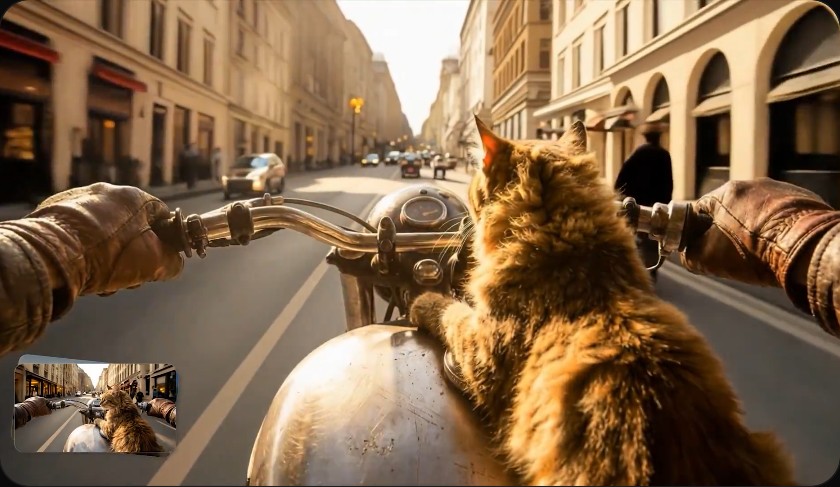
Resolution alone does not determine image-to-video AI quality. A high-resolution export can still contain soft faces, unstable textures, warped details, or motion artifacts if the underlying generation lacks consistency. Review fine elements such as hair, fabric, hands, product edges, reflections, and background patterns to see whether they remain coherent throughout the clip. Also check whether detail degrades during camera movement or subject rotation. Overall performance should consider generation quality alongside factors such as control, repeatability, workflow, and how much correction the footage needs afterward. The strongest output combines adequate resolution with stable details, smooth motion, and faithful scene structure, producing footage that requires fewer fixes before use in a finished project.
Conclusion
An image-to-video AI review should focus on both creative features and the reliability of generated footage. Useful tools provide straightforward image input, meaningful motion controls, flexible prompt support, and export options that fit real production workflows. Output quality is strongest when animation preserves the source image while adding smooth, intentional movement without distracting distortions. Character consistency, scene accuracy, fine-detail retention, and stability across frames matter more than resolution specifications alone. Creators can improve results by starting with clean images, using focused prompts, and keeping motion appropriate to the composition. Evaluating these factors together provides a practical picture of how effectively image-to-video AI can support animation work.