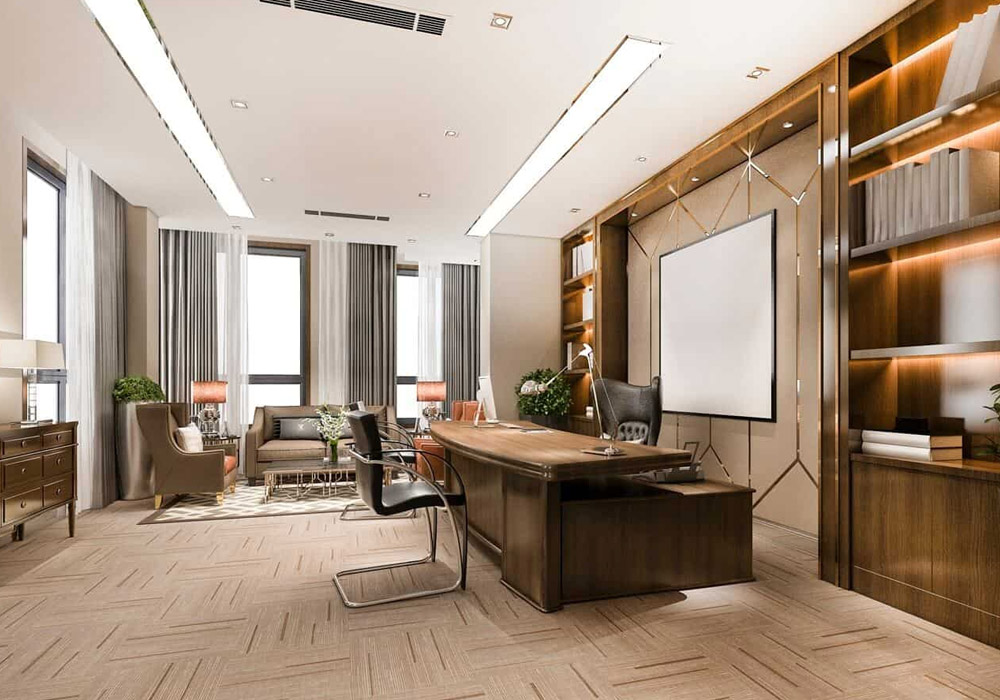
Most people have the type of job where regularly reporting to a specific location is not necessary. They can get work done from essentially anywhere, which has led to more people working from home rather than in an office building. However unimportant your choice in workspace may be to you, it can have one of the largest impacts on your productivity.
Treat the room as infrastructure, not interior design
Most individuals design a home office just like they would design a guest bedroom: choose a color, purchase a desk that looks good, and consider it finished. This approach is suitable for a spare room. But it is not the right strategy for a space where you’re strategizing, conducting meetings, and appearing on-camera for your organization five days a week.
A good alternative is to envision your office like operational equipment, more of a warehouse than a display room. Equipment is assessed by function first. Does it reduce stress? Does it enable you to work for long periods without interruptions? Does it make you appear professional during a video conference at 8 a.m. and still be efficient by 5 p.m.? Once you begin to address those concerns, your furniture, and layout choices get a whole lot easier to make.
Get the layout right before you buy anything
Before you waste a dollar on gear, optimize the setup. Probably the single most common error is having the desk face the window, which sounds intuitive but backfires immediately. Direct light behind your monitor forces your eyes to constantly readjust between a bright background and a dim screen, and it washes out your image on video calls.
The best fix is orienting the desk perpendicular to the window. You still get natural daylight, which matters for alertness and mood, but it comes from the side instead of blasting your screen or your webcam.
Take that free advice, and if you only have one place the desk can go, make sure to grab a blackout shade or sheer curtain to control your light source. Those are free or cheap and often ten times more effective than whatever doodad you buy ten minutes before giving up on a Zoom call. Fix eyestrain by fixing the eye.
Build a three-tier lighting system
Lighting in a professional space isn’t one decision, it’s three. Ambient, task, and accent lighting each do a different job, and skipping any one of them creates a room that feels either flat or harsh.
You want ambient so you can see your surroundings, task so you can read your screen easily, and accent to fill in the shadows that would otherwise be created by the combination of light sources.
The classic office problem is that you only have ambient and task, so the light from the monitor throws your face into shadow. (The other classic office problem is fluorescent overheads, which are just terrible, aesthetically speaking.)
There are lots of ways you can address this! A small, adjustable lamp around the size of a wine bottle positioned above and to the right of your monitor (assuming your monitor is against a wall) at eye level usually gives plenty of flattering light without complicated mountings or setups.
The chair is the highest-leverage purchase you’ll make
The most important piece of furniture in your entire home office is your chair. After all, the desk isn’t going to be much use to you if it hurts to sit there. Musculoskeletal disorders are injuries or pain in the body’s joints, ligaments, muscles, nerves, tendons, and structures that support limbs, neck, and back. They account for approximately 30% of all injury and illness cases in the U.S. workplace, according to the U.S. Bureau of Labor Statistics.
The sad truth is that it’s easy to strain any or all of those areas with a bad chair – usually some cheap holdover from a dining set or the kind of basic chair college dorm rooms have. It’s not until you spend 8+ hours a day in a chair capable of supporting the full range of spine, hip, and shoulder movement that you realize the damage being done elsewhere. Then it becomes “well, this is just what it feels like to get old, I guess” or “I must have hurt myself at Crossfit.”
Because that’s the other thing about chairs: the damage and wear they cause don’t manifest as an unmistakable injury. They manifest as “I’m in a slump every afternoon” or “why is my lower back perpetually tight by 3 PM?” or “my day has to end early because the very act of sitting has become excruciating.” Then those hours of lost, unproductive time get added up over the years as chronic pain, musculoskeletal deterioration, and the physical reconstruction project that will be your “golden years.”
This is why a fully adjustable high-back chair with real lumbar support isn’t a luxury line item – it’s the foundation of the whole setup. You want adjustable seat height, seat depth, armrest position, and lumbar tension, because your body isn’t identical to whoever the chair was designed for by default. An executive office chair built for all-day use typically includes these adjustments as standard, along with the weight capacity and recline mechanisms that cheaper task chairs skip entirely. If your budget only allows one upgrade this year, this is it.
Dial in the ergonomic fundamentals
Once you’ve figured out that chair, everything else about remote office ergonomics does have a set of directions, and that’s “figuring out” not “figuring close.” Desk height should let your elbows sit at roughly 90 degrees when typing, with wrists straight rather than bent up or down. Monitor height matters just as much: the top of your screen should sit at or just below eye level, so you’re looking slightly down rather than craning your neck up or hunching forward. If you run dual monitors, both screens need to be at that same eye-level height, positioned so you’re not constantly twisting your neck to the side.
A sit-stand desk adds another layer of protection here. The goal isn’t standing all day, it’s cycling between positions roughly every 20 to 45 minutes. That rhythm keeps blood flowing, reduces the stiffness that builds from static sitting, and actually helps maintain alertness through long meeting blocks. Pair the desk with ergonomic accessories – a monitor arm, a footrest, a keyboard tray – and you’ve addressed the biomechanical side of the equation almost completely.
Treat sound like a design material, not an afterthought
It is often the case that the majority of home offices are inadvertently uncomfortable. The presence of hard floors, bare walls, and glass windows cause a reflection of sound rather than its absorption, and this results in the room feeling stressful and harsh to sit in. Your voice can also come across poorly on calls due to echoes and reflected noise.
The good news is that to improve acoustics you don’t need to install studio panels and foam walls. You can simply place a rug under the desk, add heavier drapes on the window, or lay a bookshelf against a wall and immediately you will notice a difference in the room’s sound. A room in which sound is absorbed rather than echoed feels more comfortable and has a lower cognitive load on your brain. A room that echoes forces your brain to work harder to process speech, which includes both your own voice and the voices of others. Effort in this respect accumulates during an entire day of calls. Quieter rooms feel more serene to sit and speak in, and clients will notice the difference in your audio quality even if they can’t pinpoint why it sounds good to them.
Sequence your upgrades if the budget is limited
Not everyone has the resources to create a perfect office setup all at once, and that’s okay. If you’re prioritizing the order in which you make changes, fixing your seating position for work makes the most sense, as it’s the highest-impact, cheapest thing you can improve – because it affects your body all day, every day that you’re working. In this sense, spending $1,000 on a chair you use for 2,000 hours a year is much “cheaper” than spending $100 on a chair you use for 500 hours, even if both chairs will wear out and need replacing in 10 years.
After that, move to lighting, since it’s relatively inexpensive and has an outsized effect on both focus and how you present on camera. Acoustic treatment comes next – rugs and drapes are cheap, panels can wait. Desk modularity, meaning sit-stand functionality and monitor arms, comes last, not because it doesn’t matter, but because it delivers less immediate benefit than a good chair and proper lighting already in place.
Frame your face for video presence
Your on-camera set is now part of your professional presence, whether you’ve consciously considered it that way or not. The guiding principle is easy: frame the face. That means an eye-level camera, not shooting up from a laptop on a low desk. That low angle can read as the loss of authority on screen, even if it’s all unconscious.
Give yourself 2-3 feet of clear space behind your desk: you want the background to have some depth, not your head and shoulders filling the screen against a flat wall. Decide what’s visible behind you, be it a bookshelf, a plant, or just clean wall, and monitor your cables so nothing is visibly tangled or hanging in view. None of this has to look staged, it just shouldn’t look accidental, because a cluttered or dimly-lit background will undercut that authority too.
Revisit the setup every six months
An office environment is not something that you set up once and then it’s done. Bodies change, job responsibilities change, meeting habits change, so it’s important to put some effort into treating the space as gear that needs regular upkeep and not just a one-and-done purchase.
Organizations often offer ergonomic reviews – consider taking them up on it. Check your chair every six months to make sure the adjustments aren’t worn out. Keep an eye on the lighting and camera settings you use to make the most of it. Ideally, your chair will work just as well on Day 1,000 as it did on Day 1. A gas lift that’s slowly losing pressure or a lumbar that’s easing out of alignment isn’t doing something obvious that will announce itself to your brain, just making your afternoons a little less pleasant. Spot and correct that now.
The room is part of the job
A high-performance home office is far more than a showpiece desk surrounded by design objects. It’s a working system built around your body, your calls, and your ability to focus for long stretches without friction. Get the chair and light right, quiet the room down, and the rest of your setup falls into place with a lot less guesswork.