Key Takeaways
- Digital workflows begin with complete, accurate patient records.
- Intraoral scans can improve comfort and make files easier to review and share.
- Virtual planning supports case review, but clinicians remain responsible for treatment decisions.
- 3D printing can support models, retainers, transfer trays, and selected appliances.
- Quality checks, secure file handling, and trained staff are essential at every stage.
Digital orthodontics is not simply about replacing impression trays with a scanner. It is a connected process that brings together patient records, digital models, treatment planning, appliance design, production, quality control, and follow-up. Working with a trusted digital orthodontic lab can help practices turn accurate digital records into appliances that support the orthodontist’s clinical plan.
The strongest workflows still depend on people. Orthodontists, assistants, and laboratory teams must use sound clinical judgment at every stage, from capturing a scan to checking the fit of a finished retainer or aligner. Technology can organize information and shorten certain handoffs, but it does not replace careful diagnosis or patient-specific care.
What A Digital Orthodontic Workflow Includes
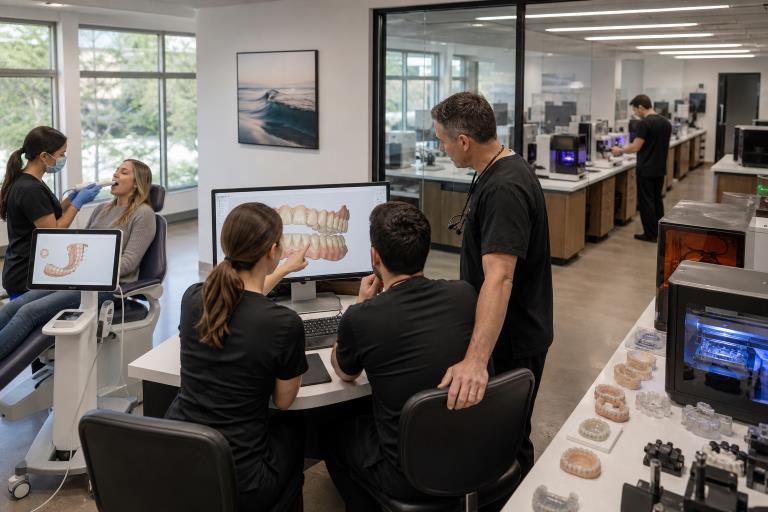
A digital workflow is a chain of connected steps. It may start with photographs, radiographs, an intraoral scan, and bite records. From there, the team reviews the records, prepares a digital model, develops or approves a treatment plan, sends files securely, manufactures the requested item, and confirms the result before delivery. Each handoff should be clear enough that another trained person can understand the case without guessing.
Why Intraoral Scanning Matters
An intraoral scanner captures a three-dimensional record of teeth and surrounding oral structures. For many patients, it avoids trays and impression material, reduces mess, and allows staff to identify missing areas before the appointment ends. The American Dental Association notes that digital scanning can streamline impression workflows, while also emphasizing that accuracy depends on the clinical situation and proper technique. Digital dentistry guidance from the ADA offers a useful overview of these benefits and limits.
Scanning is not automatic. Saliva, patient movement, poor lighting, incomplete retraction, or a rushed scan path can leave gaps in critical anatomy. A short rescan during the visit is usually far easier than remaking an appliance after production has begun.
Digital Records And Case Review
Digital study models make it easier to store, retrieve, compare, and share records without relying entirely on physical plaster models. They can support consultations, progress evaluations, transfer cases, and before-and-after reviews. Consistent file naming is a small but valuable safeguard. Include the patient identifier, scan date, arch, scan type, and case stage so files are easy to locate and less likely to be confused with another case.
Virtual Treatment Planning
Digital models allow teams to examine tooth position, arch form, spacing, crowding, and occlusion before an appliance is made. Planning software may help visualize proposed movements and appliance features, but a simulation is not a promise of a specific outcome. Bone support, root position, soft tissue, growth, oral habits, and patient cooperation all influence treatment.
- Review the proposed plan against the prescription and diagnostic records.
- Confirm that the plan fits the patient’s biological and clinical needs.
- Explain that predicted movements may change during active treatment.
- Document requested revisions before manufacturing begins.
From Model To Appliance
Once the digital case is approved, the production phase should follow a repeatable sequence. First, inspect the scan for holes, distortion, or missing anatomy. Next, prepare the model, design the appliance or print model, compare it with the prescription, then print, mill, thermoform, finish, label, and inspect the final item. Material selection, printer calibration, curing procedures, trimming, and polishing can all affect fit and performance.
Digital files can support study models, retainers, aligner models, transfer trays, and selected custom appliances. The FDA describes sequential aligners as devices created from digital scans and designed to move teeth through a series of plastic appliances, highlighting how closely digital records and physical production are connected. FDA device classification information provides additional context for this regulated category.
Quality Control Protects The Final Result
Speed should never replace inspection. Before a case leaves the lab or practice, confirm that the scan includes all required teeth and landmarks, the design matches the prescription, and the appliance has no thin areas, rough edges, warping, or labeling errors. When appropriate, assess fit and occlusion before delivery.
For example, a retainer may be delayed when the distal surface of a molar is missing from the original scan. The design team may be unable to create a reliable extension, requiring a new scan and another production cycle. Tracking remakes and corrections helps identify whether a recurring problem is related to scanning technique, design review, or finishing procedures.
Patient Experience, Privacy, And Training
Digital steps can make appointments easier to explain. Patients can see a three-dimensional model of their teeth, which may improve understanding of the proposed care. Children and patients with a strong gag reflex may also find scanning more manageable than traditional impressions. Staff can capture the scan in shorter sections and pause when a patient needs a break.
Digital records are protected health information and require the same care as any other patient record. Practices should use secure logins, approved transfer systems, controlled access, encrypted storage where appropriate, and dependable backups. Team members should never use personal devices or unapproved sharing methods for patient files. Regular training should cover scan evaluation, patient identification, software changes, and procedures for reporting corrupted or incomplete files.
A Simple Digital Case Checklist
- Confirm that the correct patient record is open.
- Verify that both arches and bite records are present when required.
- Check for complete anatomy, clear margins, and no major scan holes.
- Attach the prescription and any special instructions.
- Name the file consistently and upload it through an approved system.
- Have another trained team member review the case before submission.
Common Questions About Digital Orthodontics
Are Digital Scans More Accurate Than Traditional Impressions?
Accuracy depends on the scanner, operator technique, scan area, and clinical situation. Digital scans can reduce certain impression-related errors, but they must still be captured and reviewed carefully.
Can Every Orthodontic Appliance Be Made From A Digital File?
Many appliances and models can use digital records. The best method depends on the appliance design, materials, prescription, and the orthodontist’s clinical requirements.
Does Digital Orthodontics Make Treatment Faster?
Digital workflows may reduce shipping, storage, and remake delays. Treatment time still depends on diagnosis, biology, appliance selection, patient cooperation, and follow-up care.
What Happens When A Scan Is Incomplete?
The team may need to rescan the patient before planning or production can continue. Correcting the issue early is usually less costly and more predictable than fixing a poorly fitting appliance later.
Conclusion
Digital orthodontics works best when every step connects cleanly to the next. A complete scan, organized record, thoughtful treatment plan, secure file process, and consistent quality check can create a smoother experience for patients, practices, and laboratories. In 2026, the best workflows are not necessarily the ones with the most technology. They are the ones that use the right technology with careful judgment and dependable clinical standards.