AR glasses can replace monitors for some jobs, but not for every workflow. They work best when portability, flexible screen space, and private viewing matter more than absolute visual stability. For travelers, remote workers, and users who want a large virtual display without carrying extra hardware, AR glasses offer clear advantages. Standard monitors still hold the lead for color-critical work, fine detail, and long sessions at a desk. The real question is not whether AR glasses fully replace monitors, but where they perform well enough to become the better tool. Looking at specific use cases makes that answer much clearer for most buyers.
Use Cases Where AR Glasses Can Replace Monitors
Mobile Productivity and Travel Workflows
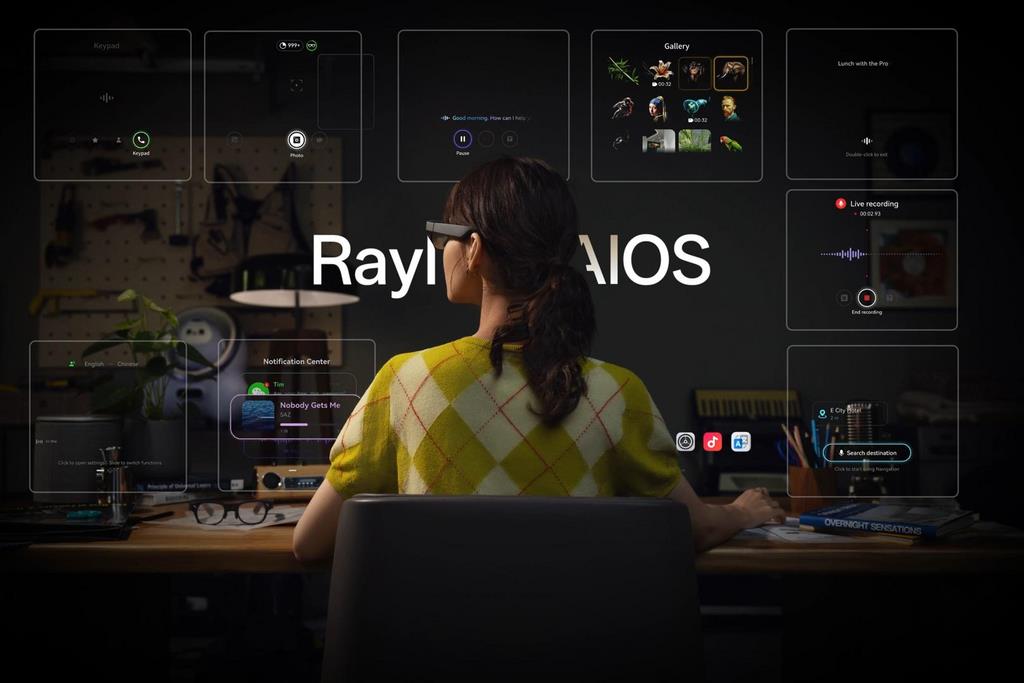
AR glasses are a strong monitor replacement when work happens on the move. On a plane, train, in a hotel, or between meetings, they create a usable private display without needing desk space. That makes them practical for writing, email, document review, slide edits, messaging, and light spreadsheet work. They also reduce the need to pack a portable monitor, cables, and stands. For digital nomads and frequent business travelers, convenience matters more than perfect desktop ergonomics. A setup like RayNeo X3 Pro also adds software advantages through RayNeo AIOS, which supports real-time 3D interaction, Gemini-powered answers, and creation tools. That combination makes quick work sessions more capable, responsive, and self-contained.
Virtual Multi-Screen Environments Anywhere
One of the biggest advantages of AR glasses is the ability to simulate a multi-monitor workspace almost anywhere. Users can place virtual screens around them for chat, browser tabs, documents, dashboards, or reference material without carrying physical displays. That helps with role-based multitasking, especially for project coordination, coding support tasks, research, and communication-heavy workflows. RayNeo X3 Pro also supports 6DoF and SLAM, giving developers precise spatial positioning and environment mapping through Unity ARDK or Android ARDK. In practice, that means virtual displays and AR elements can stay anchored more reliably in space. For flexible, temporary workstations, ar glasses can deliver more screen freedom than a single laptop monitor alone.
Scenarios Where Monitors Still Perform Better
Precision Work and Long-Duration Tasks
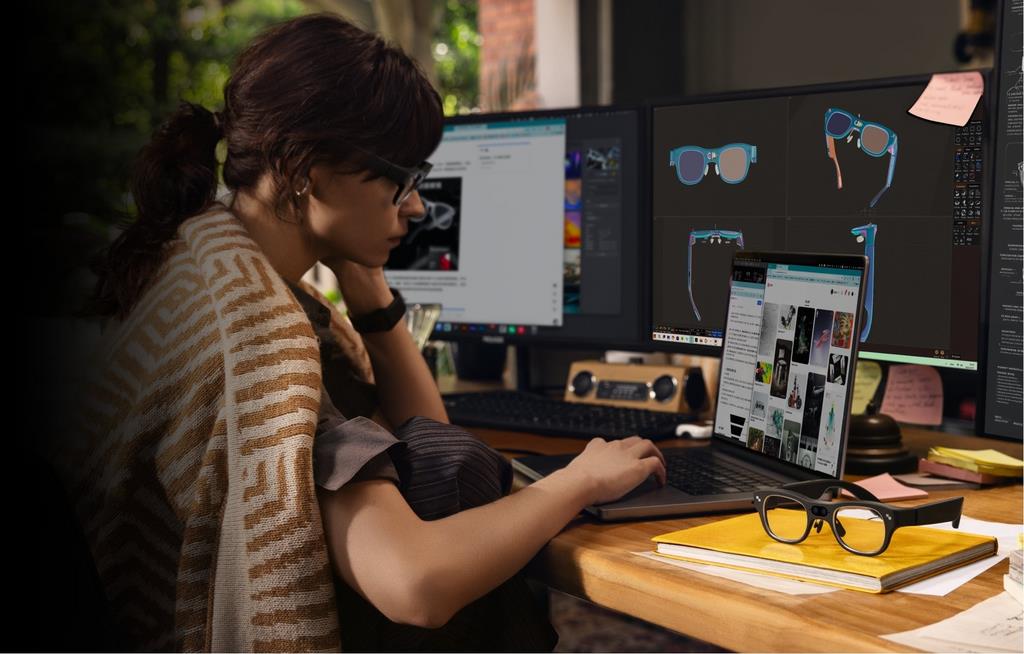
Monitors still perform better when work depends on accuracy, consistency, and long hours of focus. Designers adjusting fine visual details, editors reviewing dense timelines, analysts comparing large spreadsheets, and developers reading small text for hours generally benefit from a fixed physical screen. Monitor clarity remains easier on the eyes during extended sessions because the image is stable and familiar. Physical displays also make window management more predictable for complex desktop workflows. If your job requires precise color judgment, pixel-level alignment, or constant side-by-side comparison, a monitor remains the stronger primary tool. AR glasses can support these tasks in short bursts, but they do not yet match traditional displays for sustained precision work.
Ergonomics and Visual Stability
A monitor still wins on ergonomics because it supports a more stable posture and a more predictable viewing experience. Users can set screen height, distance, chair position, and keyboard alignment with precision, which matters during full workdays. AR glasses can reduce neck strain from looking down at a laptop, but they may introduce other issues, such as fit pressure, display drift perception, or visual fatigue over time. Even strong spatial anchoring does not fully replicate the steadiness of a physical panel sitting on a desk. For users sensitive to eye strain or those who work eight hours in one place, monitors remain more comfortable. Stability is often the deciding factor, not screen size.
Best Hybrid Setup for Real Users
Combining AR Glasses with Traditional Screens
For many users, the best setup is not choosing one device over the other but combining both. A monitor can serve as the main workstation for deep focus, detail-heavy tasks, and long sessions, while AR glasses handle overflow screens, travel, and temporary workspaces. This hybrid approach gives users flexibility without forcing compromise. At home or in the office, the monitor stays central for stable viewing and ergonomic comfort. Away from the desk, AR glasses step in as a portable second workspace. That balance is especially useful for professionals who split time between fixed and mobile environments. Instead of replacing monitors completely, AR glasses often deliver the most value as an extension of the existing setup.
Task-Based Switching for Efficiency
The most efficient real-world workflow comes from switching devices based on task type. Use a monitor for detailed editing, long writing sessions, dense data review, and any work where visual steadiness directly affects performance. Switch to AR glasses for private viewing, quick follow-up tasks, communication, presentations, travel work, or adding extra screen space when a desk setup is limited. This approach avoids forcing AR glasses into roles where they are weaker while still capturing their portability and flexibility. It also helps users get value faster because they do not need to rebuild their entire workstation. Treat AR glasses as a situational productivity tool, and monitors as the default anchor for primary desktop work.
Conclusion
AR glasses do not fully replace monitors, but they absolutely can replace them in specific workflows. They are especially effective for mobile productivity, temporary multi-screen setups, and private work in limited spaces. Monitors still lead where comfort, precision, and visual stability matter most. For most people, the smartest answer is a hybrid setup that uses each display type where it performs best. If your work is highly mobile, AR glasses can handle more of your day than you might expect. If your work is detail-heavy and desk-based, a monitor remains essential. The best choice comes from matching the display to the task, not chasing one-device simplicity.