Athletes wouldn’t use poor-quality shoes for training. They wouldn’t run a marathon on concrete wearing sandals, only to later question why their knees failed them at the age of 35. Sadly, many gamers repeat the equivalent of these scenarios every time they start a gaming session at the kitchen table, leaning over a laptop, or piling equipment on a surface that was never meant to be used for eight hours straight. A proper gaming setup isn’t about flashy RGB lights and ultra-high frame rates. It’s about protecting the body that powers all of this.
The real cost of a bad setup
The damage of physical degradation happens over time without warning signs. Tendonitis and Carpal tunnel syndrome start silently. The beginning symptoms are just stiffness or slight numbness. Once you feel the real pain, it’s already too late. You’ve been straining your body for months.
Professional gamers move their hands and fingers between 400 and 600 times a minute according to the Journal of Electronic Gaming and Esports. This is not just about typing fast. This is a repetitive movement that leads to injuries if the body is not in the right position. Professional gamers take it seriously since their careers depend on it. Hobbyists suffer as well. The injuries accumulate whether you play to earn your living or just for fun.
Wrist, elbow, cervical spine, and lower back are all exposed to musculoskeletal issues while gaming. These are all parts of the body subjected to excessive, static muscle loads: the type caused when you hold your muscles contracted to keep a certain position. A wrongly adjusted height of your workspace can cause it all.
The 90-90-90 rule and why the desk comes first
Most advice on ergonomics starts with the chair. That is not the place to start. The best chair in the world puts your arms at a bad angle if your desk height doesn’t match your body. The 90-90-90 rule (knees at 90 degrees, hips at 90 degrees, elbows at 90 degrees) is the starting point for neutral body posture during a seated task. The desk must fit your body.
Forearm parallelism is the next adjustment. If the surface of your desk supports your forearms at that 90-degree angle to the floor, your wrists stay straight and shoulder tension becomes a thing of the past. Raise your desk too high, and you start shrugging. Too low, and you start craning. The cervical spine begins compensating for misaligned shoulders and your world rapidly becomes a pain factory.
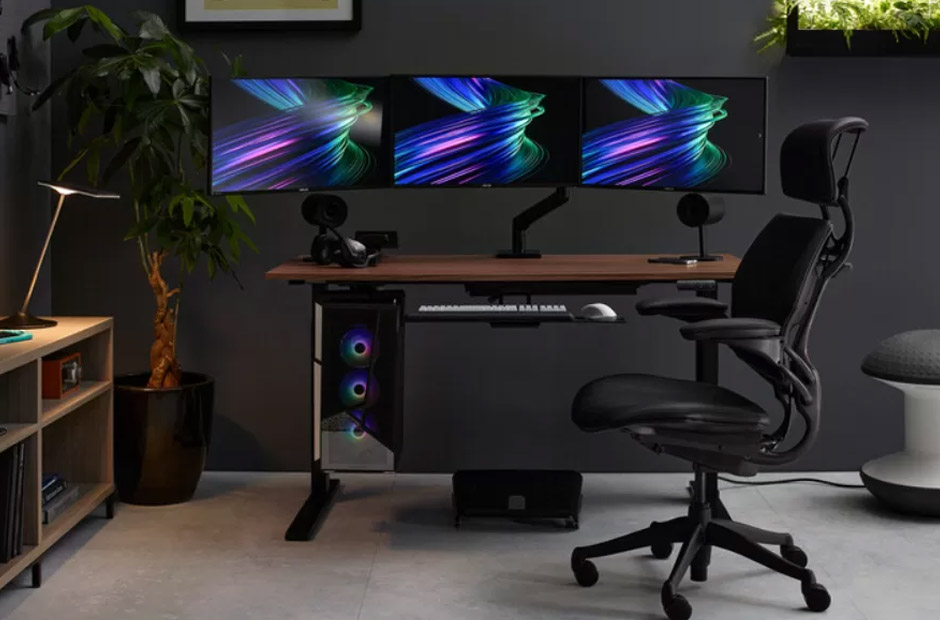
A purpose-built gaming desk offers the surface area and the height range to lock this in. It isn’t about the look. It’s about the functionality that makes every other ergonomic adjustment possible.
Gaming fatigue is usually physical, not mental
Many people think that experiencing burnout after long gaming sessions is all in the mind – you simply got tired, bored, lost focus, or needed a break from the game. While that might sometimes be true, more often it is your body’s way of shutting down access to concentration because it has been locked in a state of static loading for too long.
Poor blood circulation due to extended periods of sedentarism translates to reduced oxygen supply to the muscles. Meanwhile, that static tension in your shoulders and upper back continues to build-up throughout the gaming session. The mental fatigue that you experience is often your brain reacting to the physical distress but that it can’t quite identify.
This is where a sit-stand setup comes into play. Switching between a seated and a standing position during your longer gaming session isn’t just a new-age health and wellness fad – it helps to break that static muscle loading, ensures a steady circulation, and expands your window of peak concentration. If your desk isn’t accommodating for that, chances are that your performance is likely to suffer.
Stability is a performance variable
This is the part that gets ignored most often in setup discussions. People will spend serious money on a mouse with a better sensor and then run it across a desk that flexes when they make a hard movement. That’s a contradiction.
When your body is compensating for an unstable surface, micro-tensions build up. The desk wobbles, your elbow constantly finds the edge of a cramped workspace, so the shoulder and bicep stay slightly engaged to stabilize. Over hours, that’s muscular fatigue accumulating in exactly the muscles you need for your aim and reaction time.
Desk depth is about something else. Eyes should be 20 to 30 inches from the screen, top third of the monitor at eye level. A shallow desk means your face is closer to the screen, your eyes get strained, and you get the forward head posture that loads the cervical spine. Monitor placement can only happen if the desk gives you the depth to put it there.
Cable management is about that, too. A crowded desk surface means you can’t place your gear properly, and a lack of legroom due to cable bundles under the desk means you can’t sit properly.
The frame before the gear
Many gamers will routinely replace GPUs when games start to drop below 60FPS, or switch out a mouse for a better tracking model when K/D starts to go south. But they’ll do so while sitting hunched over at a desk that’s the wrong height, using a monitor that’s too far away, and a keyboard and mouse at the wrong angle.
That’s $1500 spent putting better parts in a worse system which will ultimately age the parts faster.