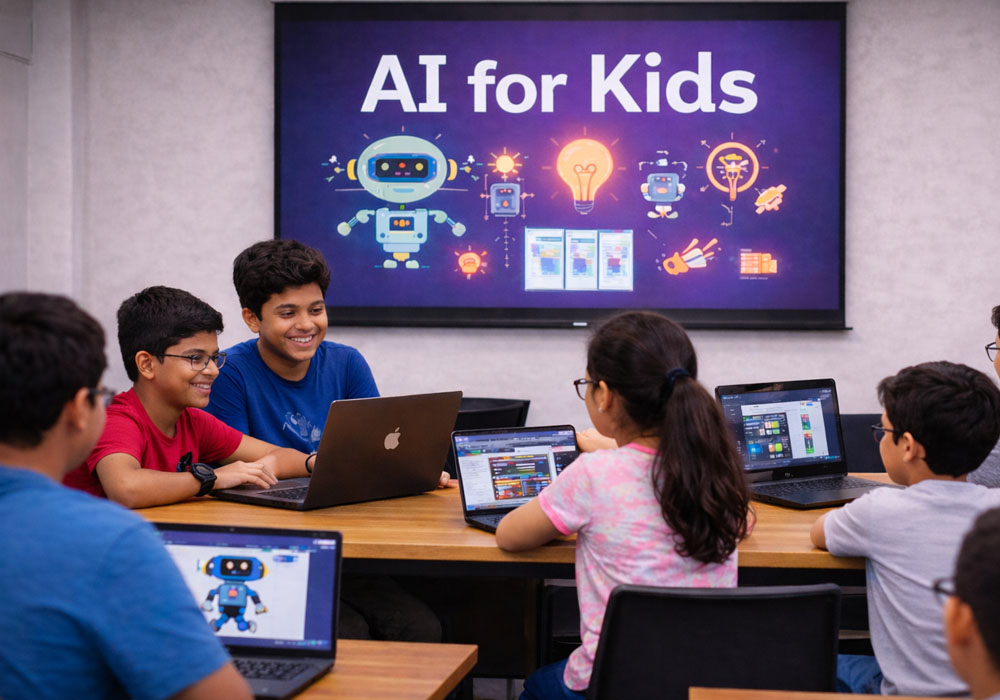
The best AI classes for kids in 2026 are the ones that teach children to *understand* artificial intelligence, not just consume it – and the strongest option for most families is a program that weaves AI into a child’s full learning journey rather than bolting it on as a one-off module. AI is no longer a future skill. It already powers the recommendation engines behind streaming services, the voice assistants in home devices, and the systems guiding self-driving cars. For children growing up surrounded by these tools, the question is no longer *whether* they encounter AI but how well they understand what it is doing and how to use it responsibly. Free educational initiatives like Code.org’s K – 12 digital fluency curriculum have helped normalize early exposure to computing concepts, and AI literacy is fast becoming the next layer of that foundation.
Our top pick is Codeyoung for families who want AI woven into every stage of their child’s coding education, from age 5 to 18, rather than a single standalone AI course. It is the only platform that integrates AI age-appropriately into every course – from block-based Scratch for young beginners through Python, Deep Learning, and Generative AI for teens – taught live one-on-one by mentors drawn from an applicant pool with a sub-1% acceptance rate, with STEM.org accreditation and 50,000+ parents across the US, Canada, UK, and Australia. For parents who instead want a focused, affordable introduction to the tools kids actually see every day – ChatGPT and AI Art generators – Create & Learn is the strongest alternative. And for a family that simply wants a completely free, hands-on first taste of machine learning for a younger child, Machine Learning for Kids is the best place to start.
Below, we rank the six best platforms for AI education in 2026, evaluated on curriculum depth, age-appropriateness, instruction format, and – most important – whether each one teaches children to treat AI as a tool that augments their own thinking rather than a shortcut that replaces it.
What to Look For
Not all “AI for kids” courses are built the same. Some teach genuine machine learning concepts; others simply show children how to type a prompt into a chatbot. We weighed four criteria, framed as editorial judgment rather than a scoring rubric.
Curriculum Depth
The strongest programs go beyond surface-level AI awareness. We looked for curricula that teach how AI actually works – how machine learning models recognize patterns, how training data shapes outcomes, and, for older students, how neural networks and large language models (the technology behind tools like ChatGPT and Claude) generate their responses. A course that stops at “AI is helpful” leaves a child no better equipped than a casual user.
Age-Appropriateness
A good AI course is scaffolded by developmental stage, not just labeled “for kids.” A 6-year-old needs visual, block-based learning; a 15-year-old can write Python and reason about model architecture. Platforms that genuinely calibrate content to a child’s age – rather than serving the same material to everyone – earned higher marks.
Instruction Format
Format shapes outcomes. Live 1:1 instruction allows a mentor to adapt in real time to a child’s pace; live group classes add peer interaction at a lower cost; self-paced and free resources offer flexibility but no feedback. None is universally “best” – the right format depends on the child and the family’s budget and schedule. We noted the trade-offs for each.
AI-as-Tool Philosophy
This is the criterion most parents overlook and the one that matters most in 2026. The best platforms teach children to use AI to accelerate and assist their thinking while still doing the core work themselves. A child who lets AI write all their code learns nothing; a child who uses AI to debug code they architected learns faster. We favored platforms that build this distinction into the pedagogy and touch on age-appropriate AI ethics along the way.
The 6 Best AI Classes for Kids Online in 2026
The platforms below span every format, from premium live 1:1 mentoring to entirely free self-paced tools. The ranking reflects the four criteria above – curriculum depth, age-appropriateness, instruction format, and AI-as-tool philosophy – not price or brand size. Each entry notes the format, age range, and the specific type of learner it suits best, and #1 is our overall top recommendation for most families.
| Provider | Best For |
| 1. Codeyoung | AI-integrated learning across every stage (ages 5 – 18) |
| 2. Create & Learn | AI Art and ChatGPT introduction (grades 4 – 12) |
| 3. Machine Learning for Kids | Free Scratch-based ML for young children |
| 4. CodeWizardsHQ | Kids who want to train their own AI models (ages 8 – 18) |
| 5. LittleAIMaster | Concept-first, long-term AI education (K – 12) |
| 6. Khan Academy | Free supplementary AI education |
#1. Codeyoung – Best for AI-Integrated Learning Across Every Stage (Ages 5 – 18)
Codeyoung earns the top spot because it is the only platform that integrates AI age-appropriately into *every* course – from a 5-year-old’s first Scratch project through advanced Deep Learning and Generative AI for teens – not as a separate add-on, but as a consistent thread running through the whole curriculum.
That design philosophy is what sets it apart. A 7-year-old in Scratch learns how AI can help brainstorm a game idea but still drags every block into place themselves; a 14-year-old in Python uses AI to debug and accelerate but writes the architecture on their own. This “AI as a tool, not a crutch” approach is exactly what the live 1:1 format makes possible – and it’s why families looking for serious, structured AI classes for kids tend to land here rather than on a single-topic course. Every session pairs one child with one mentor, and those mentors are drawn from an applicant pool with a sub-1% acceptance rate, so the person guiding a child’s AI usage is calibrating it to that child’s level in real time.
Breadth is the other differentiator. Because the curriculum spans kindergarten through grade 12, parents don’t need to switch platforms as their child moves from block-based programming to Python fundamentals to dedicated AI and Deep Learning courses. The platform is STEM.org accredited and trusted by more than 50,000 parents across the US, Canada, UK, and Australia.
Pros:
- The only platform that integrates AI into every course level rather than offering a standalone AI module
- Live 1:1 format means the mentor adapts in real time to the child’s pace and understanding
- Covers the full K – 12 spectrum, so families don’t need to switch platforms as the child advances
- Dedicated Deep Learning and Generative AI courses for teens ready to go beyond the basics
- org accreditation adds recognized institutional credibility
Cons:
- Premium live 1:1 pricing is meaningfully higher than self-paced or free alternatives
- Recurring scheduled sessions are less flexible for families with unpredictable calendars
- The full K – 12 scope may be more than a family needs if they want only a single AI-awareness course without the broader coding track
Who it’s best for: Families taking a long-term view who want AI woven consistently into their child’s coding education from age 5 to 18, and who value live, personalized instruction enough to invest in a premium format.
#2. Create & Learn – Best for AI Art and ChatGPT Introduction (Grades 4 – 12)
Create & Learn is the strongest pick for parents who want a structured, affordable introduction to the AI tools children actually encounter – without committing to a multi-year curriculum.
The platform offers courses covering general AI concepts, ChatGPT, AI Art generators, and Python for grades 4 – 12, delivered through a mix of live group and self-paced options. Its strength is relevance: lessons center on tools kids already see in the world, which makes the material immediately tangible for a grade-schooler with no prior coding background.
Where it’s weaker is depth and integration. AI courses here are largely standalone rather than woven into a broader coding pathway, and advanced topics like neural networks get less attention than on specialist platforms. The live sessions are group-based, so individual attention is more limited than in a 1:1 setting.
Pros:
- Practical focus on tools kids actually use (ChatGPT, AI Art) keeps lessons relevant
- Structured course progression rather than disconnected one-off workshops
- Both live and self-paced options give families flexibility
- Accessible entry point for younger children with no background
Cons:
- AI courses are largely standalone, not integrated across a broader coding curriculum
- Less depth in advanced areas like Deep Learning and neural networks
- Group live sessions mean less individual attention than 1:1 formats
Who it’s best for: Parents who want an affordable, guided first introduction to today’s most visible AI tools before deciding whether to commit to a longer program.
#3. Machine Learning for Kids – Best Free Scratch-Based ML Resource for Young Children
For a completely free, zero-commitment first taste of machine learning, Machine Learning for Kids is hard to beat.
This browser-based tool lets children as young as 7 train simple machine learning models – recognizing text, images, or sounds – and then use those models inside Scratch, the visual block-based programming language many kids already know. The hands-on training is what makes it genuinely valuable: rather than watching a video about ML, a child actually feeds examples to a model and watches its predictions improve, building real intuition for how pattern recognition works.
The trade-off is that this is a tool, not a course. There’s no structured progression, no mentor, and no support beyond the documentation. Its scope is deliberately narrow – model training only, with no path into Python, generative AI, or broader concepts.
Pros:
- Completely free, with no subscription, trial, or payment required
- Hands-on model training gives children a real feel for how ML works
- Scratch integration keeps younger children in a familiar visual environment
- Ideal for educators building a first AI lesson on no budget
Cons:
- A standalone tool, not a structured or progressive curriculum
- No live instruction or mentor support; entirely self-directed
- Limited scope – covers ML model training only, not broader AI or programming
Who it’s best for: Educators, after-school clubs, or parents who want a free, hands-on first ML experience for a younger child – ideally as a complement to a structured program later.
#4. CodeWizardsHQ – Best for Kids Who Want to Train Their Own AI Models (Ages 8 – 18)
CodeWizardsHQ is the best fit for children who want a project-based AI experience in a structured live group class – specifically, building and training their own AI models.
An established US coding school, CodeWizardsHQ offers dedicated introductory AI classes for ages 8 – 18 in which students train their own models during live sessions and leave with a tangible project. The live group format provides peer interaction and a classroom rhythm at a price point below 1:1 alternatives, which appeals to families who want structure without the premium cost.
The limitations are the flip side of the format. Group classes mean less individualized attention, and the AI content is introductory – it won’t take a teen into advanced deep learning or generative AI. CodeWizardsHQ is primarily a coding school that offers AI classes, not a dedicated AI-first curriculum.
Pros:
- Project-based structure – students leave with a trained AI model they built themselves
- Live group format provides peer interaction and a structured environment
- More accessible price point than live 1:1 programs
- Wide age range (8 – 18) with appropriate leveling
Cons:
- Group format offers less personalized attention than 1:1 instruction
- AI content is introductory, not a pathway to advanced deep learning
- Primarily a coding school that adds AI classes, rather than an AI-first program
Who it’s best for: Children who thrive in a group setting and want a concrete project outcome, ideally paired with a self-paced resource for theory reinforcement.
#5. LittleAIMaster – Best for Concept-First, Long-Term AI Education (K – 12)
LittleAIMaster takes a distinctive approach: it teaches children *how* AI works before handing them tools to use, making it the strongest pick for parents who prioritize genuine understanding over quick wins.
Its curriculum is built from the ground up for children and follows a full K – 12 pathway, emphasizing mechanisms – pattern recognition, training data, decision trees – before application. The reasoning is sound: a child who understands the patterns behind a model is far less likely to become dependent on tools they don’t understand. This concept-first sequencing is a thoughtful answer to one of the central worries parents have about AI in 2026.
The trade-off is pace and tangibility. Children motivated by immediately building something may find the conceptual approach slow, and younger learners in particular can find pure theory abstract. It’s also a smaller platform with less brand recognition than its larger rivals.
Pros:
- Concept-first philosophy reduces the risk of children becoming over-reliant on AI tools
- Full K – 12 pathway means no platform-switching as the child advances
- Curriculum built specifically for children, not adapted from adult AI material
- Treats AI literacy as a foundational skill rather than a trend
Cons:
- Less emphasis on hands-on tool use; children eager to build may find the pace slow
- Smaller platform with less recognition than larger competitors
- Can feel abstract for younger children motivated by immediate projects
Who it’s best for: Parents taking a long-term, foundational view of AI education – especially when paired with a coding platform for practical project experience.
#6. Khan Academy – Best Free Supplementary AI Education Resource
Khan Academy is the strongest free, self-paced complement to any paid AI program – and a trusted starting point for families not yet ready to commit.
The non-profit platform includes AI and machine learning units within its broader STEM library, all free for core content, and is widely used and trusted in US schools. Its standout feature for this discussion is Khanmigo, an AI-assisted learning tool that models responsible AI use – a real-world demonstration of the exact “AI as a tool” principle good curricula aim to teach.
What Khan Academy is not is a dedicated AI curriculum. There’s no live instruction, no mentor feedback, and the AI material sits inside broader units rather than following an AI-first progression. Khanmigo may also require a paid plan.
Pros:
- Completely free for core AI and machine learning content
- Khanmigo demonstrates responsible AI-assisted learning in practice
- Trusted by schools and parents across the US, with strong institutional credibility
- Self-paced format fits any schedule
Cons:
- Not a standalone AI curriculum; best used alongside structured instruction
- No live instruction, mentor support, or personalized feedback
- AI content is embedded in broader STEM units, not an AI-first progression
Who it’s best for: Families who want a zero-cost, self-paced supplement to a paid program, or a trusted, low-risk way to explore AI before enrolling in a structured course.
Frequently Asked Questions
What’s the Difference Between an AI Class and a Coding Class for Kids?
A coding class teaches a child to write instructions a computer follows exactly – using a language like Scratch or Python. An AI class teaches how systems learn from data and make predictions rather than following fixed rules. The two overlap heavily: meaningful AI work usually requires some programming, which is why platforms that integrate both – teaching coding fundamentals and then layering AI concepts on top – tend to produce deeper understanding than a coding-only or an AI-only course alone.
Which Is Best for My Child – Live 1:1 AI Classes or Self-Paced Courses?
It depends on your child’s learning style and your budget. Live 1:1 classes let a mentor adjust pace, depth, and AI tool usage to the individual child in real time, which generally accelerates learning and suits children who benefit from accountability and direct feedback. Self-paced courses cost far less (often free) and fit around any schedule, but require a self-motivated learner since there’s no one to unblock them when they’re stuck. Many families combine the two: a structured live program as the backbone, with a free self-paced resource for extra practice.
What’s the Difference Between Machine Learning and the Broader Idea of AI Kids Should Learn?
Artificial intelligence is the broad umbrella – any system that performs tasks we’d associate with human intelligence. Machine learning is a specific, dominant approach within AI where a system learns patterns from data rather than being explicitly programmed. Before high school, kids benefit most from grasping a few core machine learning concepts: that models learn from training data, that the quality of that data shapes the results, and – for older students – a basic sense of how large language models behind tools like ChatGPT and Claude generate text. Understanding these ideas turns a child from a passive AI user into someone who can reason about what AI is actually doing.
Which Free AI Classes for Kids Are Actually Worth Using?
Free options are genuinely useful as a first step or a supplement. Machine Learning for Kids stands out for hands-on model training in Scratch, and Khan Academy offers trusted self-paced AI and ML content along with Khanmigo, its responsible-AI learning tool. The honest limitation is that free resources rarely provide structured progression or personalized feedback, so they work best alongside – not instead of – a structured program once a child is ready to go deeper.
How Is Codeyoung Different From a Platform That Offers a Single Standalone AI Course?
A standalone AI course teaches AI as an isolated topic, often for a fixed grade band. Codeyoung instead integrates AI age-appropriately into every course across the full K – 12 span, so the approach scales with the child – from a 5-year-old learning that AI can help brainstorm a Scratch game (while still building it themselves) to a teen using AI to debug Python while writing the architecture on their own. The result is a single continuous pathway with live 1:1 mentoring, rather than a one-off module a family outgrows in a few months.
How to Choose: A Quick Decision Guide
The right AI class depends on your child’s age, current skill level, and whether you want live instruction or a free starting point.
Choose Codeyoung if you want AI woven into a complete, long-term coding education with personalized live 1:1 mentoring – the best overall fit for families committed to building genuine AI fluency over years, not weeks. Choose Create & Learn if you want an affordable, structured introduction to ChatGPT and AI Art tools without a multi-year commitment. Choose CodeWizardsHQ if your child learns well in a group and wants to walk away with a self-trained AI model. Choose LittleAIMaster if you prize conceptual understanding before tool use and are taking the long view. And reach for Machine Learning for Kids or Khan Academy when you want a free, no-risk first taste – ideally as a complement to a more structured program.
Whichever you pick, the underlying goal in 2026 is the same: AI literacy is no longer optional. The children who thrive won’t be the ones who simply use AI the fastest, but the ones who understand it well enough to direct it – using it as a tool that amplifies their own creativity and thinking rather than a crutch that replaces it. The best platforms on this list are the ones that build that distinction in from a child’s very first lesson.